01Welcome to Toothrocket
Toothrocket is a precision 3D-printed dental laboratory based in Doha, Qatar. We fabricate crowns, veneers, surgical guides, splints, sports mouthguards and bespoke appliances in Nano Ceramic Hybrid Resin — backed by a 10-year clinical warranty on every restorative case.
This guide walks you through everything you'll do as a partner clinic — from sending your first case to handing your patient the warranty card. Estimated read: 10 minutes.
Bookmark toothrocket.com. The language picker in the header supports 16+ languages, and the Sun/Moon icon flips the whole site to dark mode (great for late-evening sessions).
02Signing in
When your clinic was onboarded, the lab created a Client account for you. Open toothrocket.com/login and use the email and temporary password we emailed your dental practice.
Change the password any time under Portal → Profile. Sessions last 7 days.
Forgot your password? Email orders@toothrocket.com from your registered clinic address and we'll reset it within one business day.
04Prepaid credits & subscriptions
Toothrocket runs on a simple prepaid-credits model — no monthly fees, no contracts, no surprises. Top up your clinic balance once and every case auto-debits from it at our published QAR price list.
How it works
- Buy a credit pack from
toothrocket.com/pricingor Portal → Credits. Packs range from 10,000 QAR up to 50,000 QAR. - Pay less for more. The 50,000 QAR pack costs 42,500 QAR — that's a 15% discount built in.
- Send cases as normal. Each case auto-debits from your credit balance the moment we receive it.
- Track every credit under Portal → Credits → Activity. Every top-up and debit is timestamped and downloadable.
Pack pricing at a glance
- Starter · 10,000 QAR credits — pay 9,500 QAR (save 5%).
- Growth · 20,000 QAR credits — pay 18,000 QAR (save 10%).
- Practice · 30,000 QAR credits — pay 26,400 QAR (save 12%). Most popular.
- Group · 50,000 QAR credits — pay 42,500 QAR (save 15%).
Payment methods
- Visa · Mastercard · Amex — via Stripe (PCI-DSS Level 1). Credits land instantly.
- Bank transfer — we send your unique reference + IBAN. Credits appear within one business day of receipt.
Auto top-up — never get blocked mid-case
Save a card once and enable Auto top-up. We charge your card automatically the moment your balance drops below your chosen threshold (e.g. 3,000 QAR), keeping your queue flowing without manual intervention.
- Add a card — Portal → Credits → "Add a card to enable". Stripe holds the card; we only store the brand and last 4 digits.
- Set your threshold — when balance < threshold, we top up using the pack you picked.
- Remove anytime — one click in the same panel.
Credits never expire. Enterprise practices (need more than 50,000 QAR per top-up?) — email orders@toothrocket.com for a custom discount.
If a case arrives and your balance is too low, we'll pause the order and email you. You can top up in 30 seconds from Portal → Credits and we'll resume immediately.
06Submitting your first case
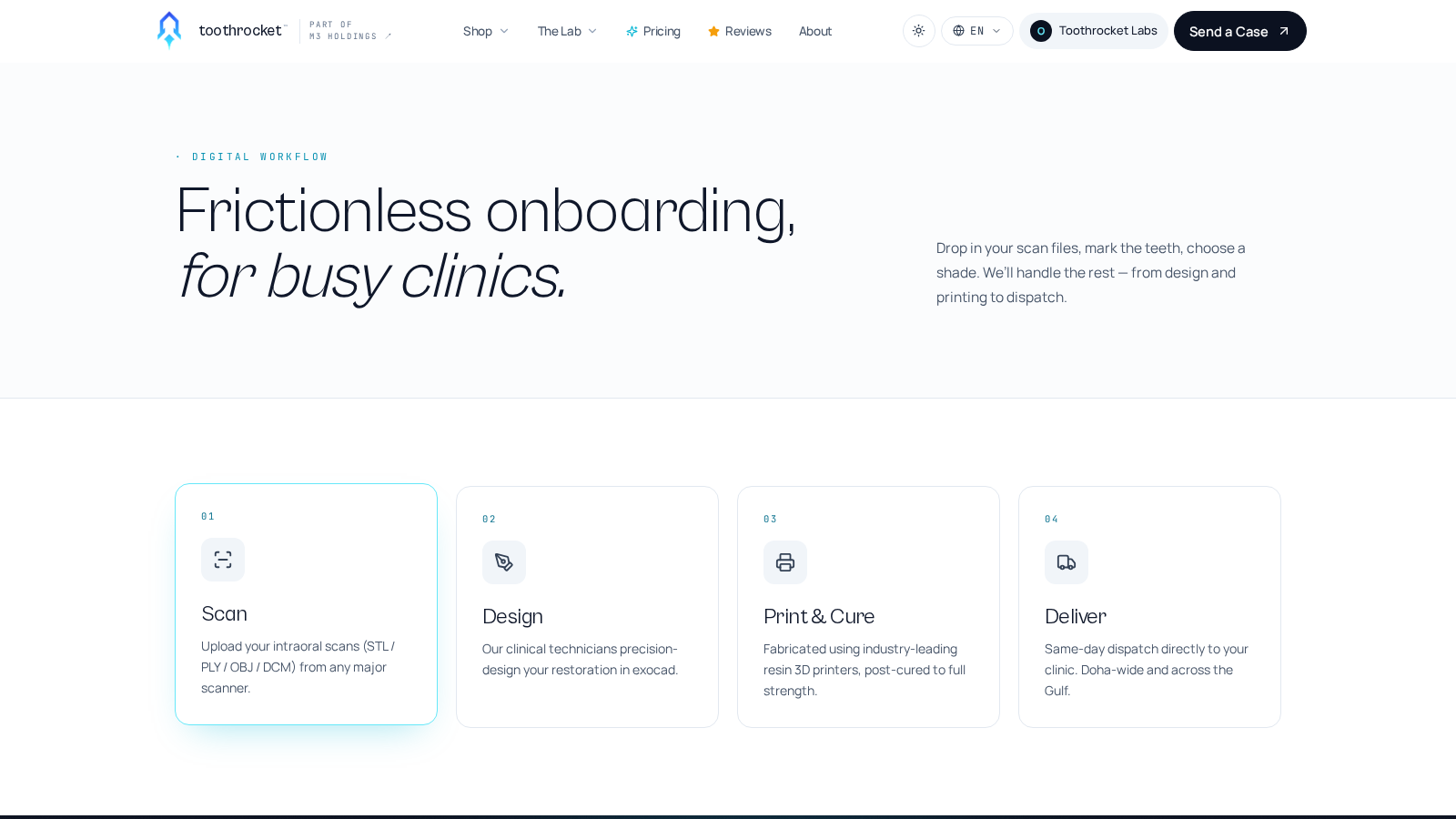
Click Send a Case in the top-right, or open toothrocket.com/workflow. Then:
- Identify the patient. Use a patient ID (P-001, your record number, anything internal). Don't include patient names — HIPAA-friendly tracking only.
- Pick the product. Each product shows its turnaround SLA. Specify tooth numbers (FDI or Universal) and shade (Vita 3D Master).
- Attach scans. Upload your intra-oral scan files (
.stl,.ply,.obj, or zipped). Files up to 200 MB supported. - (Optional) Purchase order number. If your finance team needs your own PO number on the invoice (typical for hospital networks and government clinics), type it into the Purchase order number field. It rides along on the case, lands on the invoice PDF (top-right "CLINIC PO #" header), and shows on the case detail page. Leave blank if your clinic doesn't run procurement-controlled invoicing.
- Submit. You'll get a case number like
TR-260512-1A4Fand an immediate confirmation by email + WhatsApp.
07Tracking your case
Every case moves through six stages — Received, Accepted, In Design, Manufacturing, Out for Delivery, Delivered. Track all your active cases from Portal → My Cases.
- Public tracker — Every case has a shareable link at
toothrocket.com/track/<case#>. Send it to the patient if they want to follow along — no login, no PII exposed. - WhatsApp updates — Every status change pings your registered phone with the new stage + a track-link.
- Email updates — Same trigger, backup channel.
- ETA badge — Expected SLA in working hours, shown on every case row. Receive a case before 11:00 IST? Usually same-day dispatch for single units.
08Activity timeline (case detail)
Click any case in Portal → My Cases to open its full record. Underneath the chat panel you'll find a chronological Activity timeline — every status change, technician assignment, message we sent you, invoice issued and payment recorded, in one feed, newest first.
- Status events — every move (Received → Accepted → … → Delivered) with the exact timestamp.
- Assignment — which lab technician picked up your case.
- Chat history — every message exchanged through the in-case chat (full audit trail for clinical compliance).
- Invoices & payments — when each invoice was issued and (if applicable) when it was paid + the method used.
It's the same record you'd get if you asked us for a case audit. Always there, always up to date.
09Paying invoices
Every case generates an invoice automatically, but if you're on a prepaid credit pack (recommended) the invoice is auto-settled from your balance the moment we accept the case — you'll never see a "due" invoice. Find them all under Portal → Invoices.
- Credit balance (recommended) — auto-debits with zero clicks. Top up at Portal → Credits.
- Online card — Click "Pay invoice". Stripe checkout opens; cards run through Stripe's PCI-DSS Level 1 infrastructure.
- Razorpay (India) — Pay via UPI, net-banking, or supported wallets. Same "Pay invoice" button.
- Bank transfer — Bank details on every invoice PDF. Email the transfer receipt to orders@toothrocket.com; we mark it paid within one business day.
- Monthly invoicing — Practices with 20+ cases/month can ask for a rolled-up monthly invoice. Email us.
All prices on the public catalog (/pricing) include standard shipping within India and Qatar. International shipping is quoted per case.
10The 10-year warranty
Every restorative case ships with a printed warranty card showing the case number, restoration details, and a QR code. The QR opens toothrocket.com/verify/<case#> — a public page anyone can use to confirm the warranty is valid.
- Hand the card to the patient. Many patients keep it the way they keep a jewellery certificate.
- Patient scans the QR. They see warranty status, restoration type, your clinic's name, and the issue / expiry date. No login, no app.
- Claim a warranty issue. If a restoration fails within the warranty period, email orders@toothrocket.com with the case number — we re-fabricate at no cost (standard terms apply).
11Leave us feedback (NPS)
The moment a case is marked Delivered, the system emails + WhatsApps you a 30-second feedback link. You can also click the cyan "Leave feedback" button next to any delivered case in your Portal.
- Score 0–10 — How likely you are to recommend Toothrocket to a colleague. Drives our public NPS score.
- Star ratings — Optional: fit · aesthetics · delivery speed.
- Consent to publish — Tick the box and your comment (your name initialised, case number redacted to last 4) appears on
/reviews— helping other clinics evaluate us. - Concerns followed up — Any score ≤6 triggers an immediate alert to the lab lead; you'll get a personal follow-up within 24 hours.
12We're here whenever you need us
Phone / WhatsApp
+974 5506 0499
Doha lab
Bldg 46 · Street 989 · Zone 53 · Al Shafi St · New Al Rayyan
Sun – Thu
09:00 – 19:00 Doha time